Popular Posts

Showing posts with label Software. Show all posts

Monday, December 29, 2008

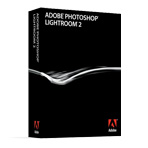
Adobe Photoshop Lightroom v2.2 (Incl Keymaker)


Adobe Photoshop Lightroom v2.2 Multilingual Incl Keymaker-CORE

Downloads: Rapidshare


Adobe Photoshop Lightroom v2.2 Multilingual Incl Keymaker-CORE
Adobe Lightroom is the efficient new way for professional photographers to import, select, develop, and showcase large volumes of digital images. So you can spend less time sorting and refining photographs, and more time actually shooting them. Its clean, elegant interface literally steps out of the way and lets you quickly view and work with the images you shot today, as well as the thousands of images that you will shoot over the course of your career. Because no two photographers work alike, Adobe Lightroom adapts to your workflow, not the other way around.


Version 2.2 features added RAW format support for recently released cameras and makes camera profiles available in the Calibration panel in the Develop module.


Key features:

* Local adjustment brush
* Enhanced organizational tools
* Volume management
* Extensible architecture
* Revolutionary DSLR profiling
* Multiple monitor support
* Flexible print package functionality
* Streamlined Photoshop CS3 integration
* Enhanced output sharpening
* 64-bit support for Windows® and Mac OS

Rapidshare


Thursday, November 13, 2008

Nikon Capture NX 2.0.1

Picture all you can imagine! Supercharge your workflow with the next generation of high-quality image editing and processing.
Utilizing U PointTM technology, Nikon Capture NX delivers powerful tools to help you fully realize the potential of your photographic imagination.
Capture NX software releases not only the power of Nikon's Electronic Format (NEF) files, but for the first time, it makes JPEG and TIFF processing and editing elegant and easy enough for any photographer to use.There are no complicated procedures. Nikon's interface provides an intuitive access to all of the tools you need.Make your photographic possibilities endless and realize the power of your imagination with Capture NX.

Mac OS:
CPU: PowerPC G4, PowerPC G5, Intel Core Duo, Intel Core 2 Duo, Intel Xeon.

OS: Mac OS X (version 10.3.9~10.4.11); Operation with Mac OS X 10.5.x Leopard is not guaranteed or tested.

RAM: 256 MB minimum (1.0 GB or more recommended).
Hard Disk: 200 MB required for installation.

Display: 800 x 600 pixels (1024 x 768, or more, is recommended) with 16-bit color (High Color/thousands of colors) or 24-bit color (True Color/millions of colors) recommended.

Other
* CD-ROM drive required for installation.
* Internet connection required for some options.
Windows:
CPU: Pentium III, 1GHz or better (Pentium 4, 2GHz or better recommended).

OS: Pre-installed versions of Windows Vista (32-bit Home Basic/Home Premium/Business/Enterprise/Ultimate editions), Windows XP Home Edition, Windows XP Professional, Windows 2000 Professional.

RAM: 256 MB minimum (1.0 GB or more recommended).

Hard Disk: 200 MB required for installation.

Display: 800 x 600 pixels (1024 x 768, or more, is recommended) with 16-bit color (High Color/thousands of colors) or 24-bit color (True Color/millions of colors) recommended.

Other
* CD-ROM drive required for installation.
* Internet connection required for some options


Free Download:

Nikon Capture NX v2.1.0.0


Nikon Capture NX 2.0.1 (Portable)

Vertus Fluid Mask 3.0.8

Very powerful and easy-to-use plugin for Photoshop! It seems that a policy adopted by the British company Vertus technology in the near future, the ability to bring it into the sole lead.
The essence lies in the functioning of product simulation process of our bodies of view and thinking through automatic analysis of raster images. Once the image file is downloaded to your desktop Fluid Mask, mechanism carefully studying the contents of the picture and with the data on the color palette, gradients and textures edited images, shares his conditional on the zone. In particular, automatically or manually identified areas for disposal and preservation of (key facilities, the background, the area of the complex borders and crossings). On their basis is generated and included in the service layer with metadata IIL (Image Information Layer) Integrated mask that shows both saved and deleted pixels, and the boundaries of these zones.
Parking thing, all fotoshoperam necessarily pump.


http://www.vertustech.com/


  1. Install
  2. Copy the file from a folder FluidMask3.exe Crack in the folder with the installed program
  3. Copy the file from a folder FluidMask3.8bf Crack in the Photoshop plug-ins folder

Free Download:

http://rapidshare.com/files/85601784/Vertus.Fluid.Mask.v3.0.8.rar

Tuesday, November 11, 2008

ACD Systems FotoSlate v4.0.66

ACD FotoSlate: the easy-to-use photo printing software for home users and professionals. Print photos in popular sizes including 4x6 and 5x7. Make print sheets, albums, calendars, cards and contact sheets. Use pre-made pages or create your own. Just select photos, choose a layout and print. "Couldn't be easier," says Popular Photography magazine. FotoSlate comes packed with more than 450 pre-made pages for printing to many popular paper sizes. Print many photos on one page with ease. Print photos with or without borders. Alter the pre-made pages with your own design ideas, or create your own from scratch. Let FotoSlate's many smart features save you time and money and make printing fun.


Home users
Get prints worth framing from the digital photos trapped on your computer. Create a beautiful calendar for printing in less than a minute. It’s so easy that you'll never have to struggle with aligning photos on-screen again. FotoSlate's pre-made pages do it for you. Plus, get artistic results by "cutting" your photos into oval shapes, adding text with drop shadows, applying other edits, and framing them before printing with attractive frames included free. Save photo paper with FotoSlate's smart paper saver wizard. Ensure accurate color in prints of digital camera photos using the EXIF 2.2 Print standard.


Professionals
Catalog a 500-picture photo shoot into contact sheets in about 10 seconds flat* – or faster with the latest computer processors.
Speed your digital photo printing process using FotoSlate's pre-made pages. Get accurate color with ICM 2.0 and ICC color
profiles. Use the smart FotoSlate paper saver to make a complex print job easy: FotoSlate automatically fits as many pictures as possible onto a page. Re-use layouts for maximum efficiency. Improve the quality of low res images with the click of a button, thanks to FotoSlate's "Clear IQZ" digital image resampling technology.


Free Download:

VueScan Pro v8.4.94 Multilanguage

VueScan, the world's most popular scanner software, is used extensively by photographers, home users, scanning services and corporations. VueScan is a scanning program that works with most high-quality flatbed and film scanners to produce scans that have excellent color fidelity and color balance. It is very easy to use, and also has advanced features for restoring faded colors, batch scanning and other features used by professional photographers.

What's new in version 8.4.94
  • Improved efficiency when scanning
  • Added preliminary support for 9 additional languages:

OS: Windows Vista/XP/2K/NT/ME/98/95

Official Website: http://www.hamrick.com/vsm.html


Free Download:

Size: 4.48 Mb

Download from Letitbit

Download from DepositFiles

Wednesday, October 29, 2008

Adobe Photoshop Lightroom v2.1.512205

"Adobe Photoshop Lightroom 2" software is essential for today's digital photography workflow. Now you can quickly import, process, manage, and showcase your images — from one shot to an entire shoot. With Lightroom 2, you spend less time in front of the computer and more time behind the lens.


Top new features

* Local adjustment brush
* Enhanced organizational tools
* Volume management
* Extensible architecture
* Revolutionary DSLR profiling
* Multiple monitor support
* Flexible print package functionality
* Streamlined Photoshop CS3 integration
* Enhanced output sharpening
* 64-bit support for Windows® and Mac OS

System requirements

Mac OS

* G4 or G5 processor or Intel
* OS X v10.4 or above
* 1 GB of RAM
* 1 GB of available hard disk
* 1,024 x 768 screen
* CD-ROM drive


Microsoft Windows

* Intel Pentium 4 or equivalent processor
* Microsoft Windows XP SP2, Windows Vista Home Premium, Business,
* Ultimate, or Enterprise (32- and 64-bit editions)
* 1 GB of RAM
* 1 GB of available hard disk
* 1,024 x 768 screen
* CD-ROM drive

Download: Adobe Photoshop Lightroom v2.1.512205 Incl Keymaker-EMBRACE

>>> RapidShare Download Link <<<