


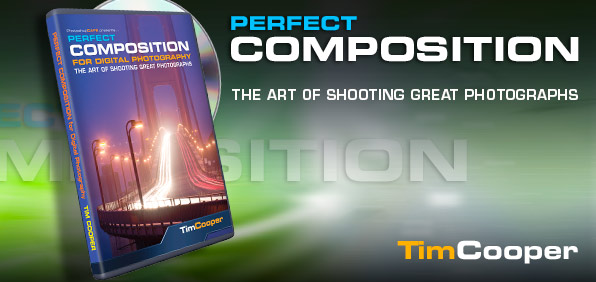
 2.5 Hour Photography Video
Learn how to see and shoot!
Have you ever marveled at the work of skilled photographer’s and thought, “I wish I was talented like like that?” Guess what! All of the superstars started where you are. These things can be taught!
This video teaches you how to transform your photography! Your images will instantly become more powerful and engaging. In addition to teaching you the rules of composition, Tim shows you why the rules work, and when to break them! This video takes you through the steps of seeing, designing, and executing the final composition. Learn how your shutter speeds, f-stops, and lens length are crucial to composing your photo. Never take a boring shot again.
Tim Cooper has been travelling all over the nation for a decade, helping thousands of photographers hone their craft. For the first time ever, Tim sat down in his studio and captured the magic on this video. As you watch, Tim’s plain English style will cause you to understand composition and realize, it’s not all luck and natural talent that captures great photos.
Lessons Include:
- Discover how to take your photos from snapshots to photographs
- Learn how to make a photograph rather than take one
- Discover how your vision interprets works of art
- Establish a workflow for composing your scenes
- Understand the effects of sharpness in your photos
- Find out how to make your images more expressive
- Learn the visual distractions and attractions
- Learn what to do with bright subjects
- Learn how to compose high contrast subjects
- Polish up on basic compositional elements
- See how lines affect your compositions
- Explore subject and camera movement
- Realize the power of negative space
- Discover how to place your images within the frame
- Get an introduction to visual weight and balance
- Explore photographic symmetr
- Learn the origin of the rule of thirds
- Discover how color contrast can boost impact
- Determine which lens to use for which scenes
- Explore perspective and positioning
Download
thepiratebay.org
newtorrents.info
depositfiles.com
http://depositfiles.com/files/xyri79i29
http://depositfiles.com/files/ncj0xsaxy
http://depositfiles.com/files/8iteyji24
http://depositfiles.com/files/00i6dsavu
http://depositfiles.com/files/s9cm8lxa6
http://depositfiles.com/files/1qida3thv
http://depositfiles.com/files/2txiep036
http://depositfiles.com/files/gky3qmxke
http://depositfiles.com/files/lm0kd7d03
http://depositfiles.com/files/ar7ng15ii
http://depositfiles.com/files/oda8crf7w
http://depositfiles.com/files/bbtgntcv5
http://depositfiles.com/files/83uiie6wr
http://depositfiles.com/files/osywsxff6
http://depositfiles.com/files/1nvdp3seq
http://depositfiles.com/files/g8skizop7
filefactory.com
http://www.filefactory.com/file/bc9ab7/n/agppcasgp_part01_rar
http://www.filefactory.com/file/50883e/n/agppcasgp_part02_rar
http://www.filefactory.com/file/fc193f/n/agppcasgp_part03_rar
http://www.filefactory.com/file/8d3805/n/agppcasgp_part04_rar
http://www.filefactory.com/file/93c753/n/agppcasgp_part05_rar
http://www.filefactory.com/file/e7fb1a/n/agppcasgp_part06_rar
http://www.filefactory.com/file/6bf553/n/agppcasgp_part07_rar
http://www.filefactory.com/file/bf22c2/n/agppcasgp_part08_rar
http://www.filefactory.com/file/51f236/n/agppcasgp_part09_rar
http://www.filefactory.com/file/f80bcf/n/agppcasgp_part10_rar
http://www.filefactory.com/file/a70c1f/n/agppcasgp_part11_rar
http://www.filefactory.com/file/50a971/n/agppcasgp_part12_rar
http://www.filefactory.com/file/205262/n/agppcasgp_part13_rar
http://www.filefactory.com/file/3b5938/n/agppcasgp_part14_rar
http://www.filefactory.com/file/69d211/n/agppcasgp_part15_rar
http://www.filefactory.com/file/3188ff/n/agppcasgp_part16_rar
megaupload.com
http://www.megaupload.com/?d=G2TDMVTY
http://www.megaupload.com/?d=CGSIASFY
http://www.megaupload.com/?d=K9MPN59R
http://www.megaupload.com/?d=X0F14QL5
http://www.megaupload.com/?d=YZ4HBHSN
http://www.megaupload.com/?d=MCREL8PH
http://www.megaupload.com/?d=SZWA3G8H
http://www.megaupload.com/?d=QAJDAKDL
http://www.megaupload.com/?d=U9E1VXUS
http://www.megaupload.com/?d=DC36TGWZ
http://www.megaupload.com/?d=RPDVSJ3A
http://www.megaupload.com/?d=QSU8KQRW
http://www.megaupload.com/?d=K3Y159TB
http://www.megaupload.com/?d=M0AK27O3
http://www.megaupload.com/?d=5YBV8JB6
http://www.megaupload.com/?d=URSHLLYS
rapidshare.com
http://rapidshare.com/files/156354118/agppcasgp.part01.rar
http://rapidshare.com/files/156361088/agppcasgp.part02.rar
http://rapidshare.com/files/156361212/agppcasgp.part03.rar
http://rapidshare.com/files/156354198/agppcasgp.part04.rar
http://rapidshare.com/files/156354232/agppcasgp.part05.rar
http://rapidshare.com/files/156354279/agppcasgp.part06.rar
http://rapidshare.com/files/156361444/agppcasgp.part07.rar
http://rapidshare.com/files/156354339/agppcasgp.part08.rar
http://rapidshare.com/files/156361912/agppcasgp.part09.rar
http://rapidshare.com/files/156354649/agppcasgp.part10.rar
http://rapidshare.com/files/156354453/agppcasgp.part11.rar
http://rapidshare.com/files/156354493/agppcasgp.part12.rar
http://rapidshare.com/files/156361424/agppcasgp.part13.rar
http://rapidshare.com/files/156354558/agppcasgp.part14.rar
http://rapidshare.com/files/156361429/agppcasgp.part15.rar
http://rapidshare.com/files/156354556/agppcasgp.part16.rar
INSTRUCTOR: TIM COOPER
 Tim Cooper began his career as a commercial and assignment photographer working with clients such as The North Face, Vasque boots, 3M and The International Heart Institute. His editorial and commercial photographs have appeared in Travel & Leisure, New York Times Magazine, Outdoor Photographer, Fly Rod & Reel, Northern Lights and Private Clubs as covers, advertising, art and editorial illustration.
In addition to commercial work, Tim has also been involved with the Rocky Mountain School of Photography since 1993. He has taught workshops, classes, seminars, as well as held the position of Director of Education,
Director of the Black and White Program and Director of Digital Imaging. Tim currently teaches various workshops, classes and seminars for the school in addition to consulting on both photographic and digital technologies. Tim is co-author of the book Complete PhotoshopCS3 for Digital Photographers.
What will you learn?
1. An introduction to composition, and an overview of how our vision perceives art

2. This section shows you how to guide your viewers eye through a photograph.

3. An overview of the elements of composition and how they apply to photography
4. This segment shows you how to place subjects within the frame

5. An in depth look at wide, normal and long lenses, and how they affect our composition
6. F-stops and shutter speeds and how you can use them to produce more creative compositions

7. This segment explores the importance of positioning, camera location and perspective.

8. Tips and hints on portraiture and landscape photography plus some easy to avoid pitfalls


